> ## Documentation Index
> Fetch the complete documentation index at: https://docs.uniblock.dev/llms.txt
> Use this file to discover all available pages before exploring further.
# Authenticate Your API Key
> Uniblock API keys enable secure access to the Unified API, offering powerful functionality across several domains including Tokens, NFTs, and Transactions. Once you have your Uniblock API key, you'll need to authenticate it to start making requests to the API.
 # How to Authenticate your Uniblock API key?
Remember that API Key you saw when you first created your project? You'll be using that API key everywhere to track your project analytics but also to use our Unified API.
# How to Authenticate your Uniblock API key?
Remember that API Key you saw when you first created your project? You'll be using that API key everywhere to track your project analytics but also to use our Unified API.
 ## Steps
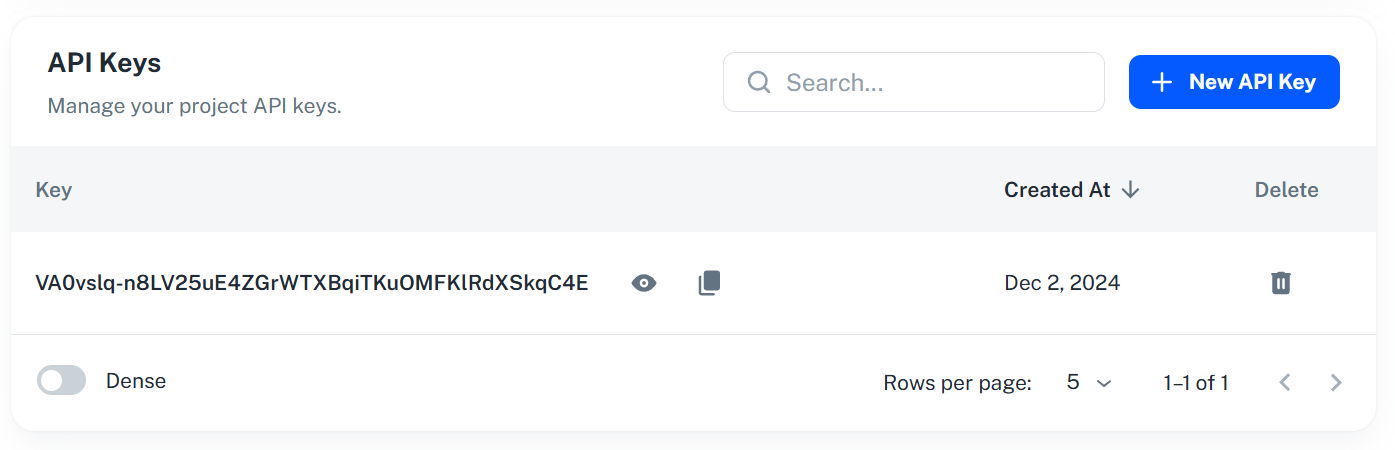
1. **Obtain your Uniblock API Key:** If you haven't already, you'll first need to obtain your API key. This can be done by navigating to your dashboard and your project, then copying the provided API key.
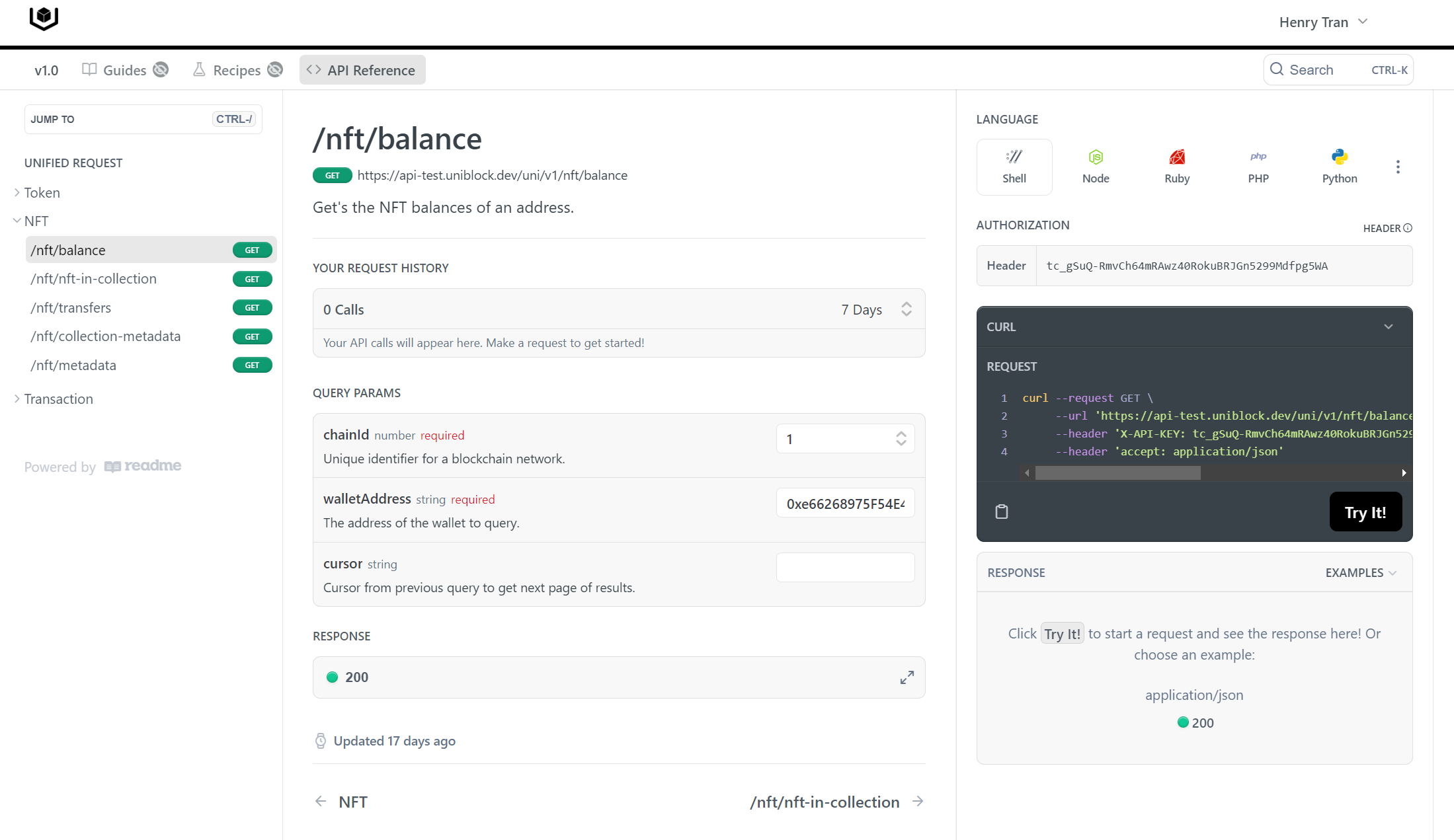
2. **Go to the API References:** Once you have your API key, head over to the [Explorer](https://explorer.uniblock.dev) tester.
3. **Authenticate your API key in the Header:** When making an API call, your Uniblock API key needs to be included in the header of the HTTP request. The header field for the API key will typically be labelled as `X-API-Key` or similar.
Here's an example of how you might authenticate your API key in the header of an HTTP request:
`bash bash GET /endpoint Headers: X-API-KEY: YOUR_UNIBLOCK_API_KEY `
4. **Start Calling Your Endpoints:** With your API key authenticated, you're ready to start making requests to the Uniblock API.
Remember, each request you make to the Unified API must include your authenticated API key in the HTTP request header. If you ever want to change your project in the project dashboard, you'll need to update this in your API calls as well.
## Steps
1. **Obtain your Uniblock API Key:** If you haven't already, you'll first need to obtain your API key. This can be done by navigating to your dashboard and your project, then copying the provided API key.
2. **Go to the API References:** Once you have your API key, head over to the [Explorer](https://explorer.uniblock.dev) tester.
3. **Authenticate your API key in the Header:** When making an API call, your Uniblock API key needs to be included in the header of the HTTP request. The header field for the API key will typically be labelled as `X-API-Key` or similar.
Here's an example of how you might authenticate your API key in the header of an HTTP request:
`bash bash GET /endpoint Headers: X-API-KEY: YOUR_UNIBLOCK_API_KEY `
4. **Start Calling Your Endpoints:** With your API key authenticated, you're ready to start making requests to the Uniblock API.
Remember, each request you make to the Unified API must include your authenticated API key in the HTTP request header. If you ever want to change your project in the project dashboard, you'll need to update this in your API calls as well.