> ## Documentation Index
> Fetch the complete documentation index at: https://docs.uniblock.dev/llms.txt
> Use this file to discover all available pages before exploring further.

# Unified API Quickstart

> Welcome to the Unified API quickstart guide!

Estimated time to complete this guide: \< 2 minutes

Here, you'll find a basic step-by-step process to test our Unified API. This guide assumes that you've already created a project. Let's get started.

<Steps>
  <Step title="Copy your API key">
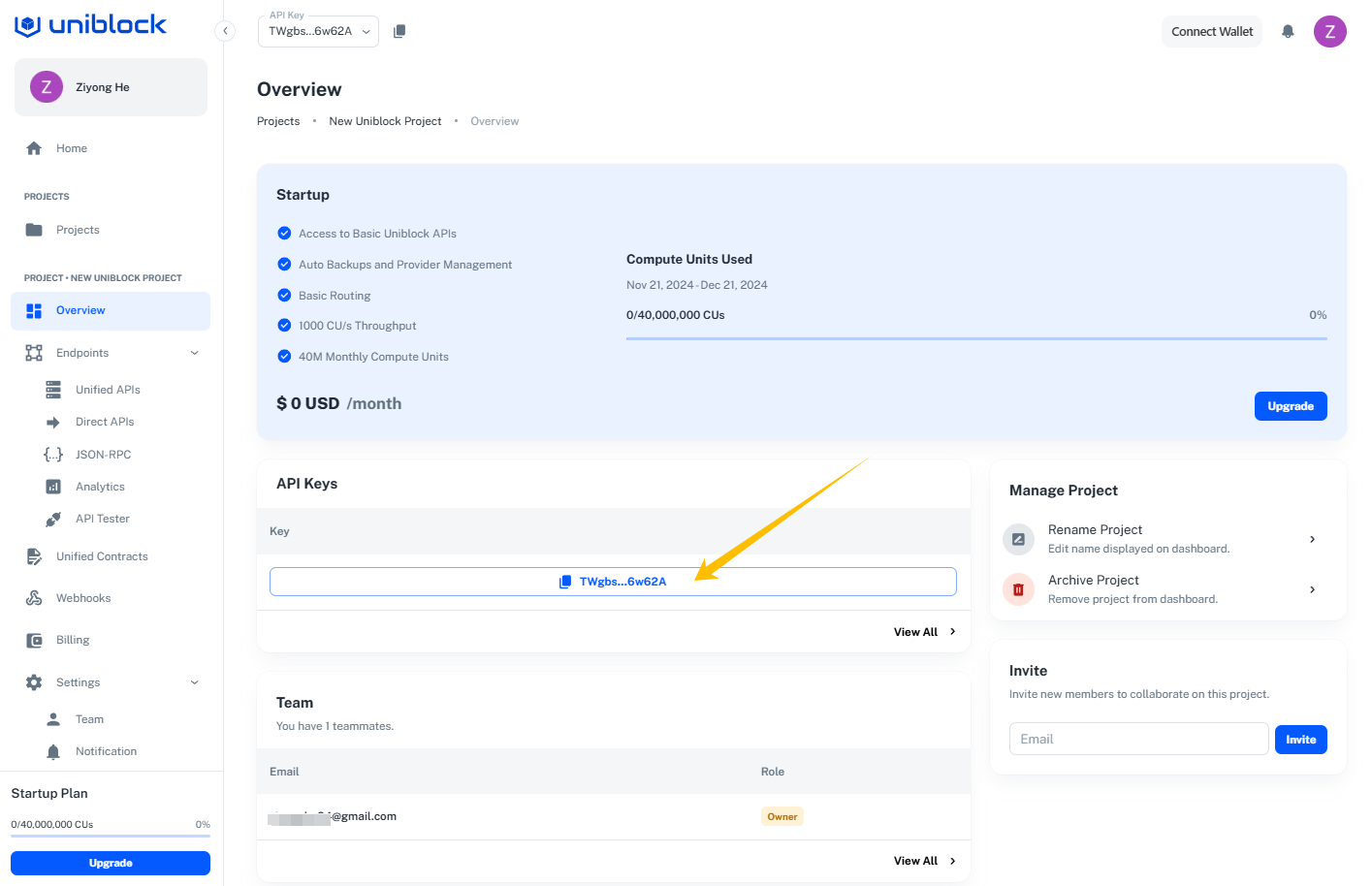
    Navigate to your project overview. Copy your API key.
    <img src="https://mintcdn.com/uniblock/ce6MWTwGsgFUjX8w/images/docs/a6be502f75e449dbc028f53e7b8509b9eb48787a8fcf67095934701422386ed0-image.png?fit=max&auto=format&n=ce6MWTwGsgFUjX8w&q=85&s=49c515262fd691ca592e6e5607542cc9" alt="" width="1415" height="914" data-path="images/docs/a6be502f75e449dbc028f53e7b8509b9eb48787a8fcf67095934701422386ed0-image.png" />
  </Step>

  <Step title="Navigate to the API Tester">
    Head to our explorer by clicking on the `Endpoints` section on the left nav-bar, then click on `API Tester`.
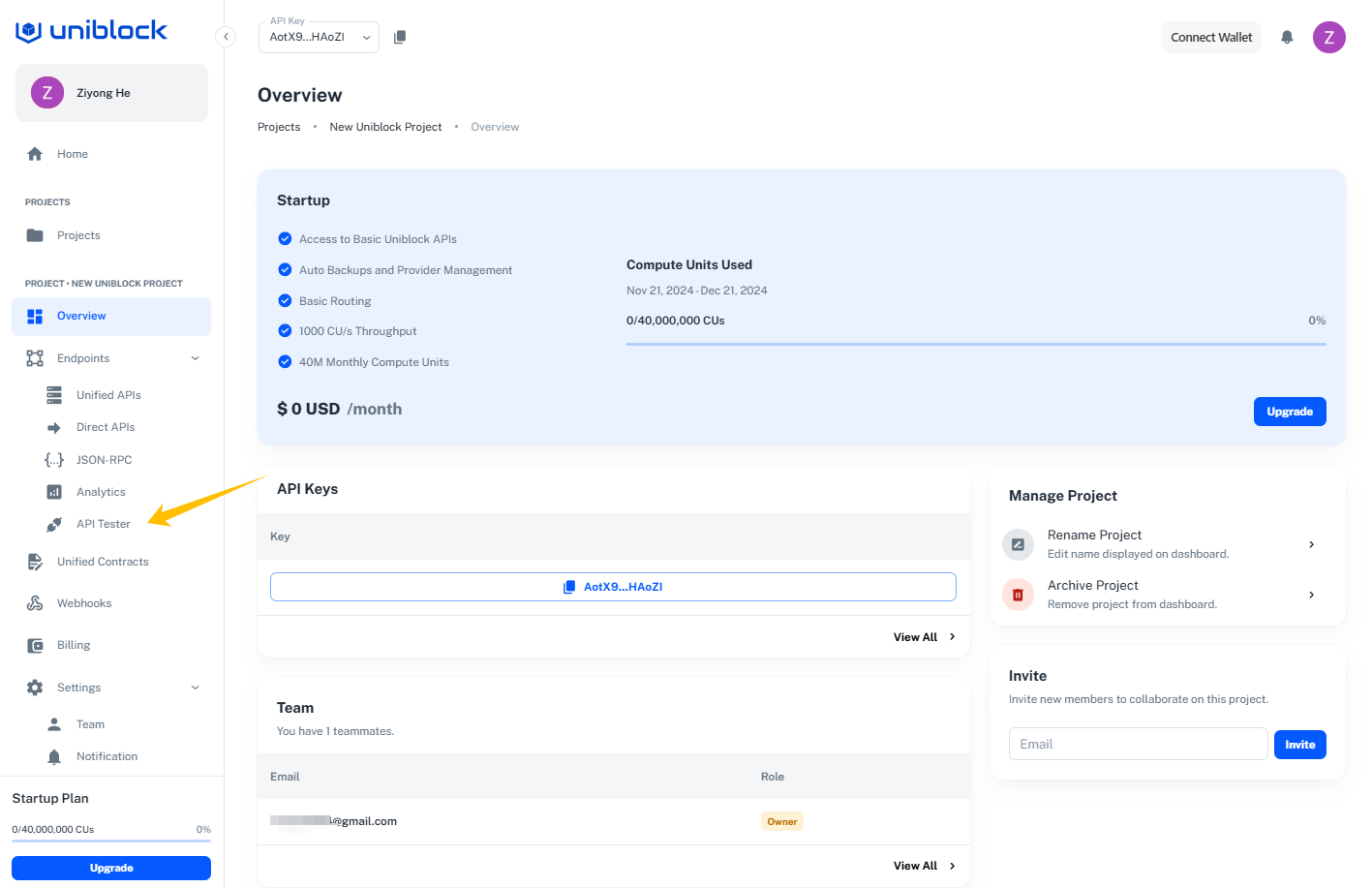
    <Frame caption="Project Overview Page -> Endpoints -> API Tester">
      <img src="https://mintcdn.com/uniblock/ce6MWTwGsgFUjX8w/images/docs/9626bd59828718ef05897ce110408080c6a1de5f788427aa3decacd386cb6fdc-image.png?fit=max&auto=format&n=ce6MWTwGsgFUjX8w&q=85&s=68b69dae8120bd9c3a75924d7e8109c4" width="1417" height="917" data-path="images/docs/9626bd59828718ef05897ce110408080c6a1de5f788427aa3decacd386cb6fdc-image.png" />
    </Frame>
  </Step>

  <Step title="Open the explorer">
    It will open the explorer a new tab for you. You will see this page.
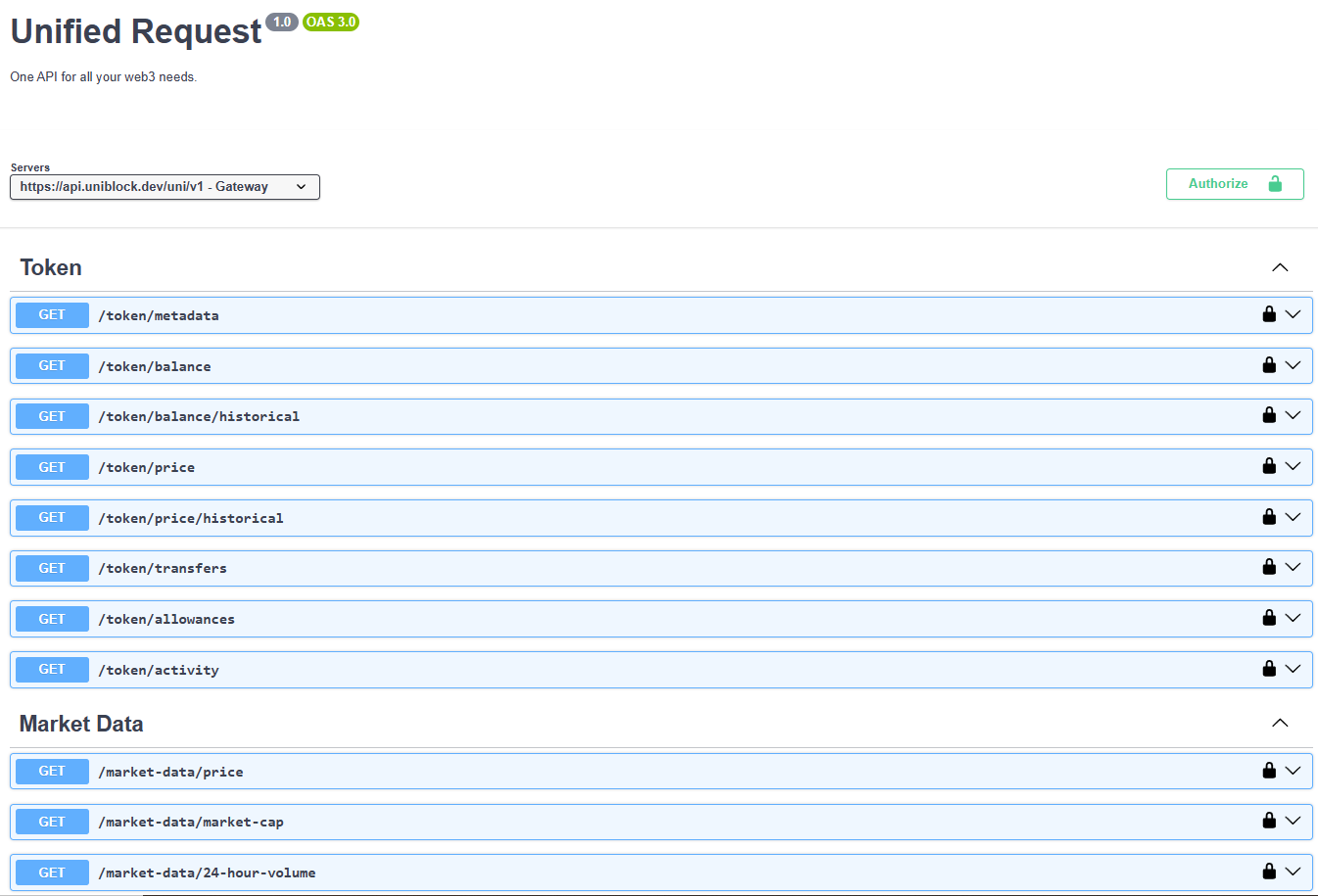
    <img src="https://mintcdn.com/uniblock/uPcmKAfw2UCOwfSR/images/docs/d861b9d17236b271bbd21af14148454b3bc373a9e36a1ae755dfb754bf5ae297-image.png?fit=max&auto=format&n=uPcmKAfw2UCOwfSR&q=85&s=fc59cba2ace5376fc0dde99e95bfae7b" alt="" width="1346" height="915" data-path="images/docs/d861b9d17236b271bbd21af14148454b3bc373a9e36a1ae755dfb754bf5ae297-image.png" />
  </Step>

  <Step title="Authorize your API key">
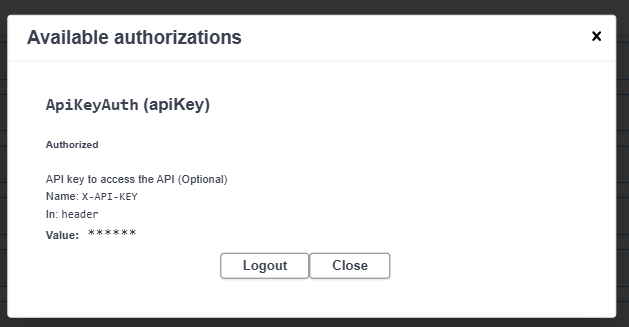
    Authorize your key on the explorer by hitting the `Authorize` button. Then paste your Uniblock API key to it and hit the `Authorize` button.
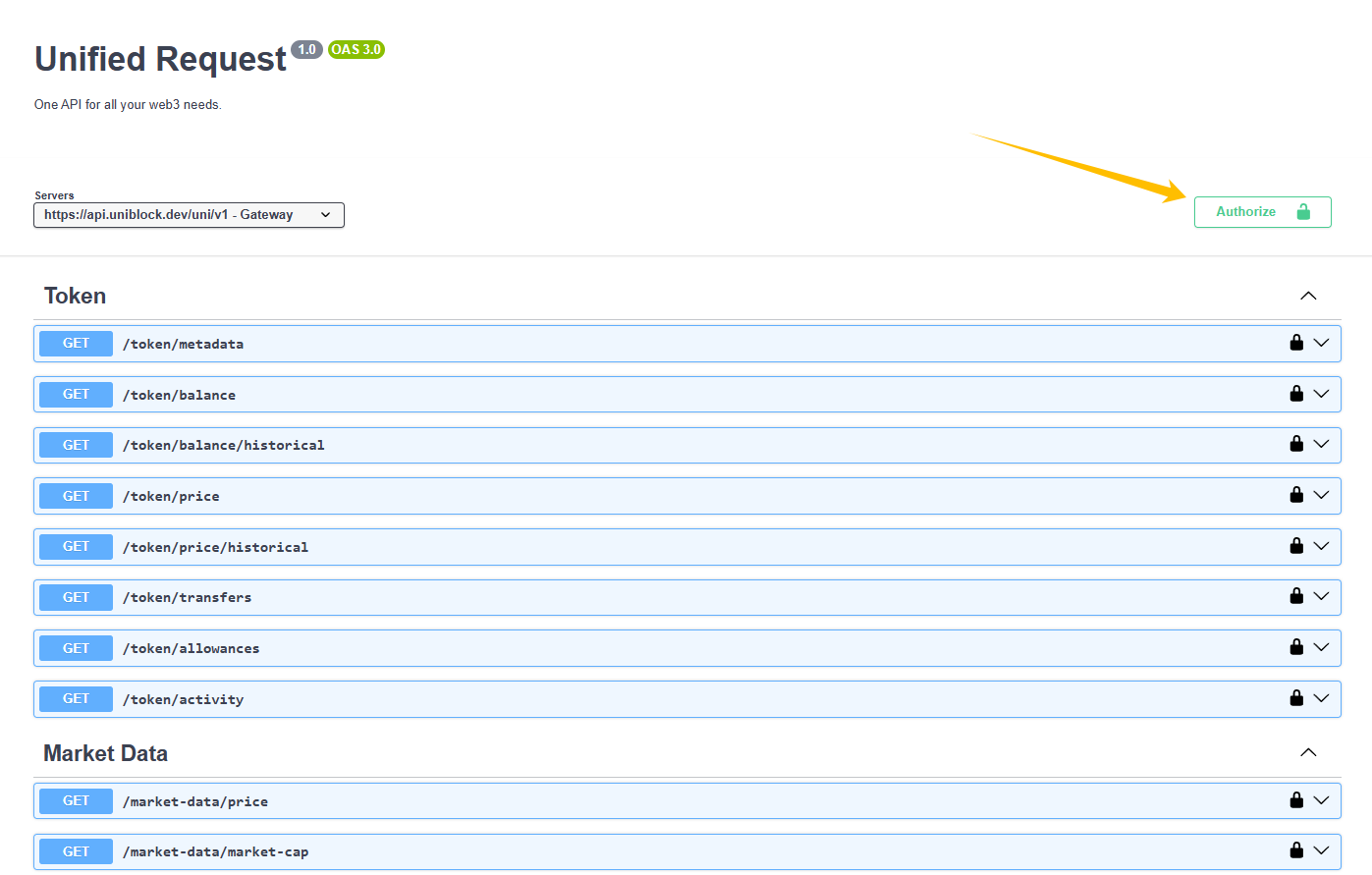
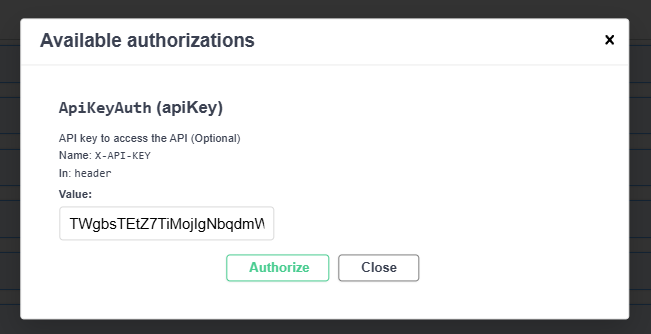
    <img src="https://mintcdn.com/uniblock/AAmZ2PQpKS7NEhKq/images/docs/3781610903394d9d9b2eb04b2bb129c48e63057d610a4d6c7248d6f04f8c1616-image.png?fit=max&auto=format&n=AAmZ2PQpKS7NEhKq&q=85&s=c164095a9a9c9df7e8e7f272f44854f1" alt="" width="1397" height="891" data-path="images/docs/3781610903394d9d9b2eb04b2bb129c48e63057d610a4d6c7248d6f04f8c1616-image.png" />

    <img src="https://mintcdn.com/uniblock/ce6MWTwGsgFUjX8w/images/docs/984d72cf9dfca51a2a491aff2c9c3301d1250fb5377f9f1463c8daa4c778831b-image.png?fit=max&auto=format&n=ce6MWTwGsgFUjX8w&q=85&s=9920a8328abe05897c726703f435390d" alt="" width="651" height="334" data-path="images/docs/984d72cf9dfca51a2a491aff2c9c3301d1250fb5377f9f1463c8daa4c778831b-image.png" />

    <img src="https://mintcdn.com/uniblock/ce6MWTwGsgFUjX8w/images/docs/9d5628b5cce636eb624cd859becbd6309338d89414997019b92c3fffa6b59de9-image.png?fit=max&auto=format&n=ce6MWTwGsgFUjX8w&q=85&s=549e3c888f4db5ae717db53e97e7713b" alt="" width="629" height="327" data-path="images/docs/9d5628b5cce636eb624cd859becbd6309338d89414997019b92c3fffa6b59de9-image.png" />
  </Step>

  <Step title="Select the endpoint">
    We will try calling the `/token/metadata` endpoint. Select the endpoint and click the `Try it out` button.
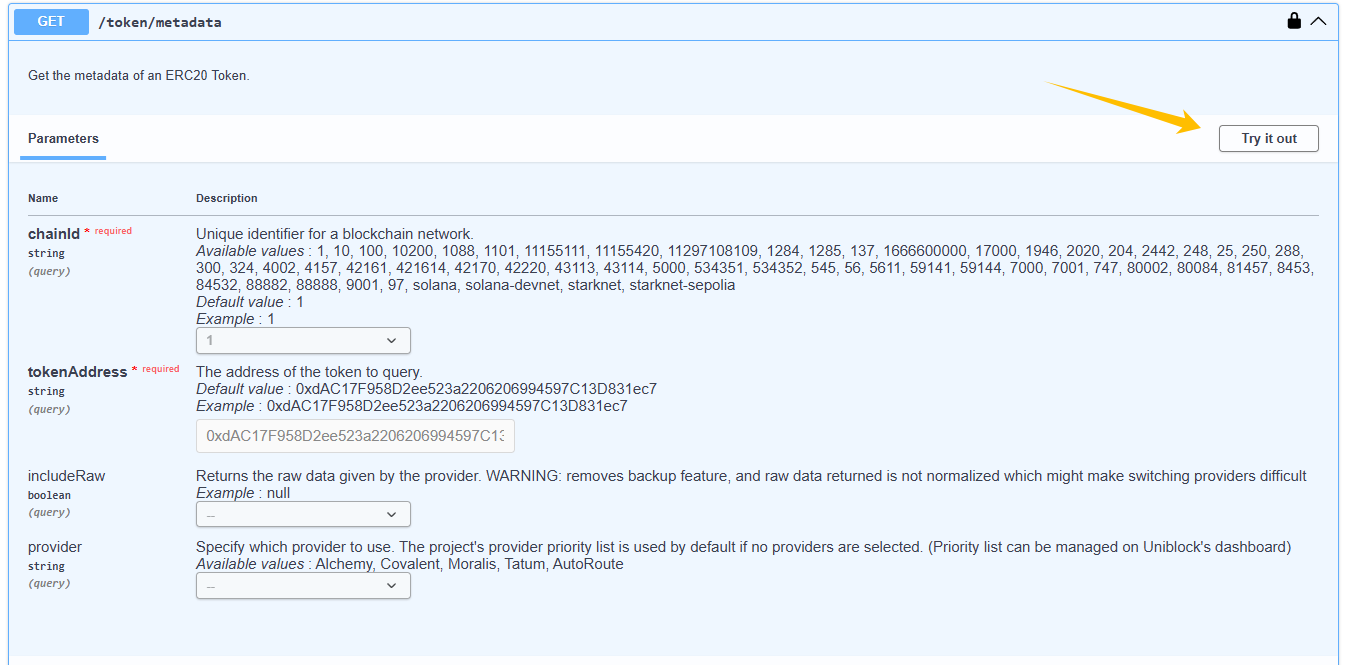
    <img src="https://mintcdn.com/uniblock/ce6MWTwGsgFUjX8w/images/docs/776b232dc9e2f6d25eacd3106f75b408cfe08d209dd2e67b9468d2ebc82051c9-image.png?fit=max&auto=format&n=ce6MWTwGsgFUjX8w&q=85&s=d859b38f780bd322adf6aa8f55099c6b" alt="" width="1345" height="665" data-path="images/docs/776b232dc9e2f6d25eacd3106f75b408cfe08d209dd2e67b9468d2ebc82051c9-image.png" />
  </Step>

  <Step title="Execute the request">
    There are example values filled in the required fields by default. Alternatively you can enter your own input parameter values. Then click on the `Execute` button to call the endpoint.
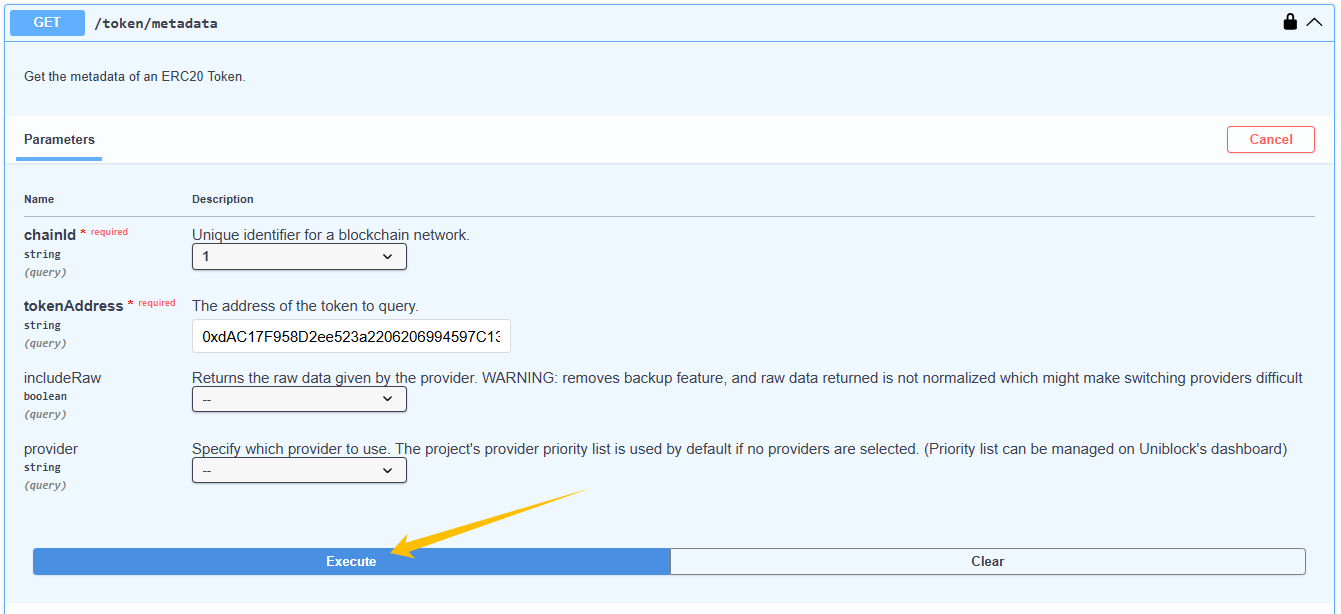
    <img src="https://mintcdn.com/uniblock/uPcmKAfw2UCOwfSR/images/docs/bacc04e42b46cbd3393f9d14625019ea90dc6eae7574b9a0ad93852411d33127-image.png?fit=max&auto=format&n=uPcmKAfw2UCOwfSR&q=85&s=b388dbe62d050b21a5dcf4eddb74dc41" alt="" width="1341" height="614" data-path="images/docs/bacc04e42b46cbd3393f9d14625019ea90dc6eae7574b9a0ad93852411d33127-image.png" />
  </Step>

  <Step title="View the response">
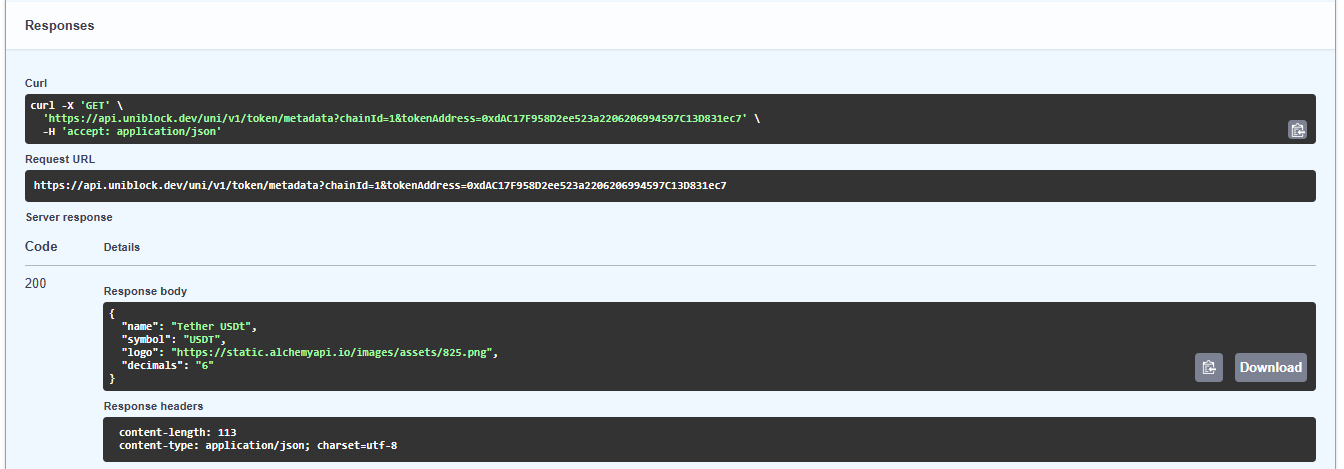
    Here is the successful response.

    <img src="https://mintcdn.com/uniblock/uPcmKAfw2UCOwfSR/images/docs/b985d3df5a5c6efc999424610553cd597f3932200b5c68567667e00222506981-image.png?fit=max&auto=format&n=uPcmKAfw2UCOwfSR&q=85&s=d530ce57bf0cc985bb04258c7c872a4a" alt="" width="1344" height="469" data-path="images/docs/b985d3df5a5c6efc999424610553cd597f3932200b5c68567667e00222506981-image.png" />

    Nice job! You've made an API call with our Unified API! 🎉
  </Step>
</Steps>

***

What’s Next

Continue on to other pages in our list of Unified API guides to see more information on the topics discussed here.

***

<Card title="Ready to get started with Uniblock?" icon="rocket" href="https://dashboard.uniblock.dev">
  Create your free account and start building with unified blockchain infrastructure across 100+ chains.
</Card>

<CardGroup cols={2}>
  <Card title="View API reference" icon="book" href="/reference/unified-api-reference-overview">
    Explore all available endpoints and interactive playgrounds
  </Card>

  <Card title="Join our community" icon="discord" href="https://discord.gg/uniblock">
    Get help from our team and connect with other developers
  </Card>
</CardGroup>