
Uniblock's quickstart page for an introduction and how to set up a webhook.
Remember to create your project & get your API-KEY through our Uniblock's dashboard.
Webhooks let you receive real-time notifications from Unified API whenever specific blockchain events occur, without needing to poll endpoints. They automatically send signed HTTP POST requests to your server for events like transactions, token transfers, NFTs, and new blocks, enabling fast and reliable event-driven workflows.
Webhook Setup
Navigate to the Webhooks section in Uniblock dashboard. You will notice a Create Webhook button which expands a section for creating a new webhook.
Follow the four steps to deploy a webhook.
-
Add webhook information.
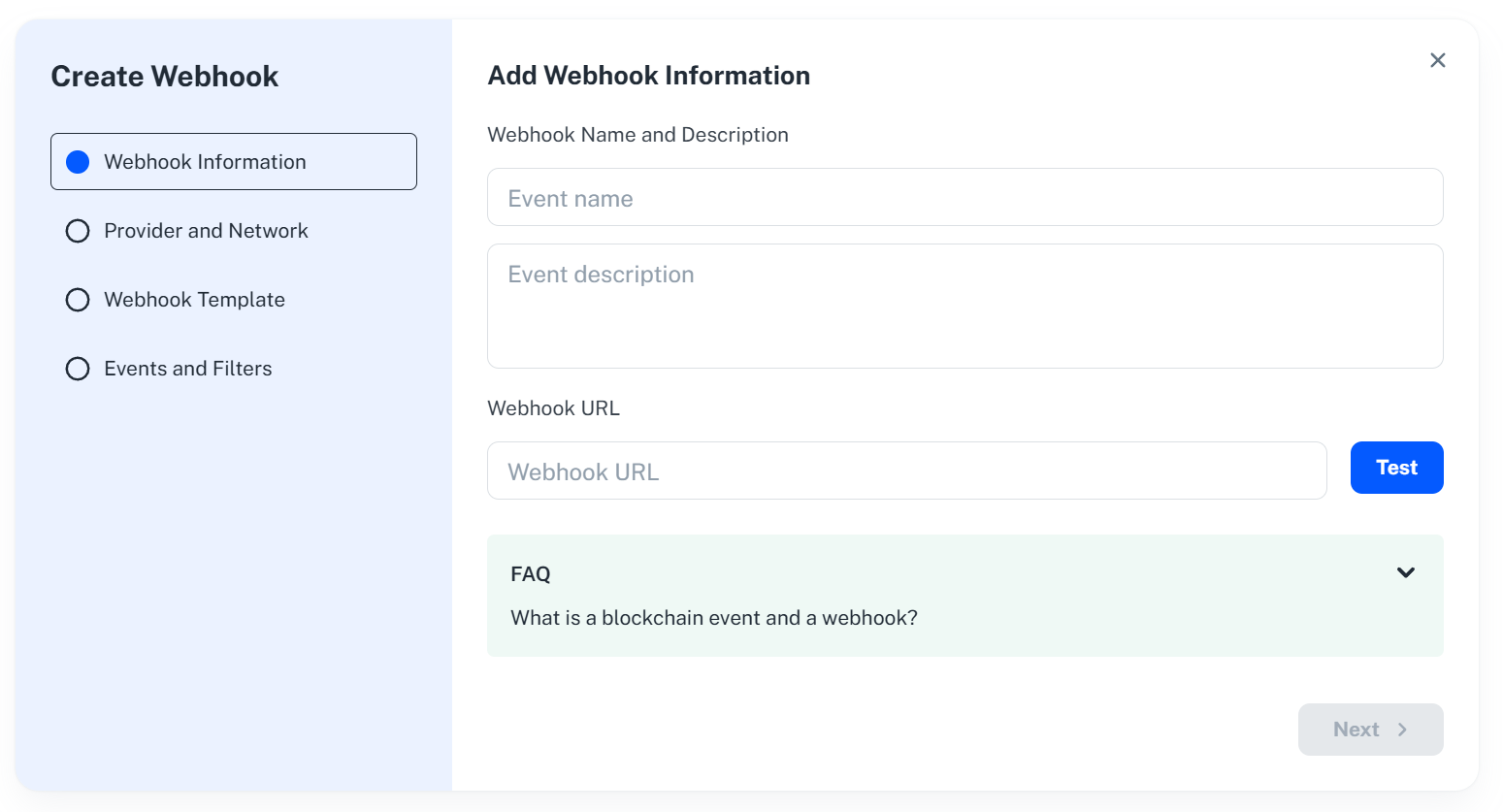
- Give this webhook a name and a description that are only for labelling purposes in Uniblock Dashboard.
- Fill the webhook URL. Send a test request to the URL by hitting the
Testbutton.
-
Select provider and network.
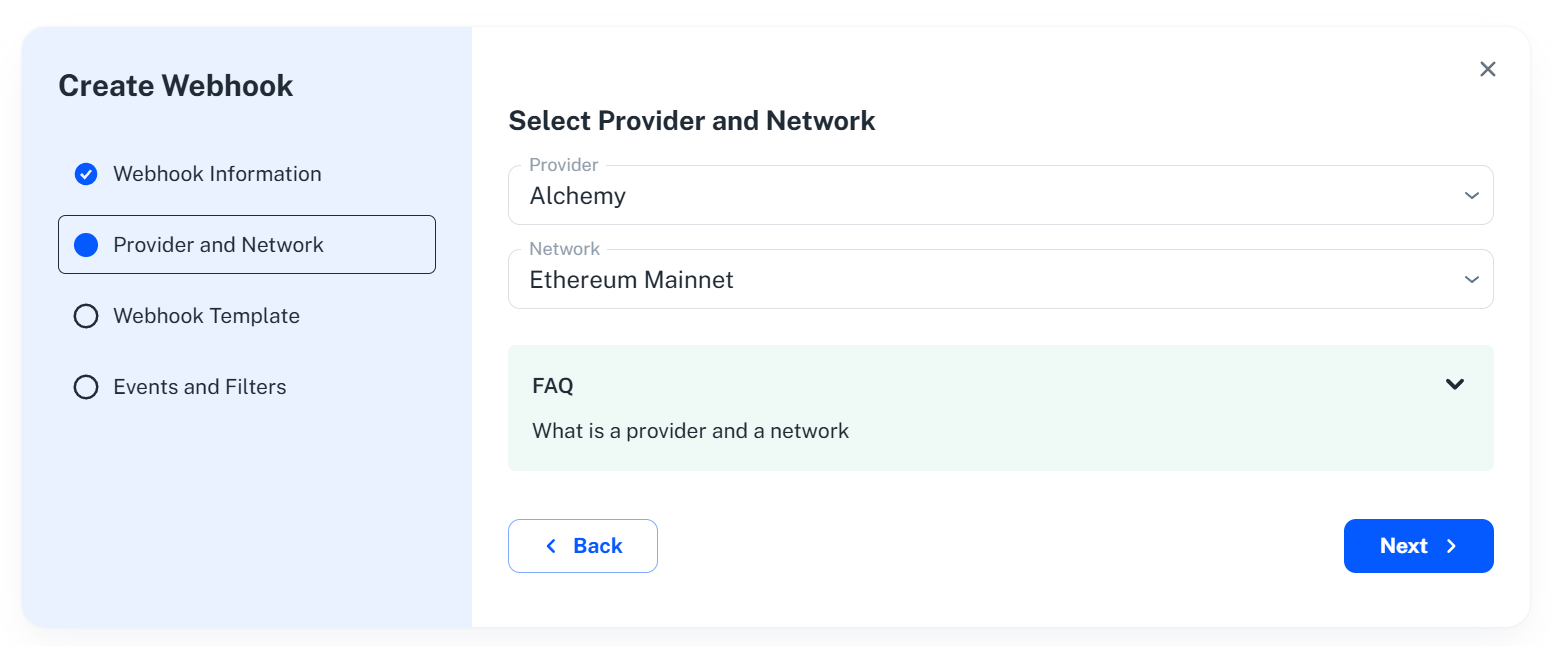
- Select a provider to deploy the webhook with. Each provider has its own list of supported network.
- Select a network to deploy the webhook on.
-
Select a webhook template.
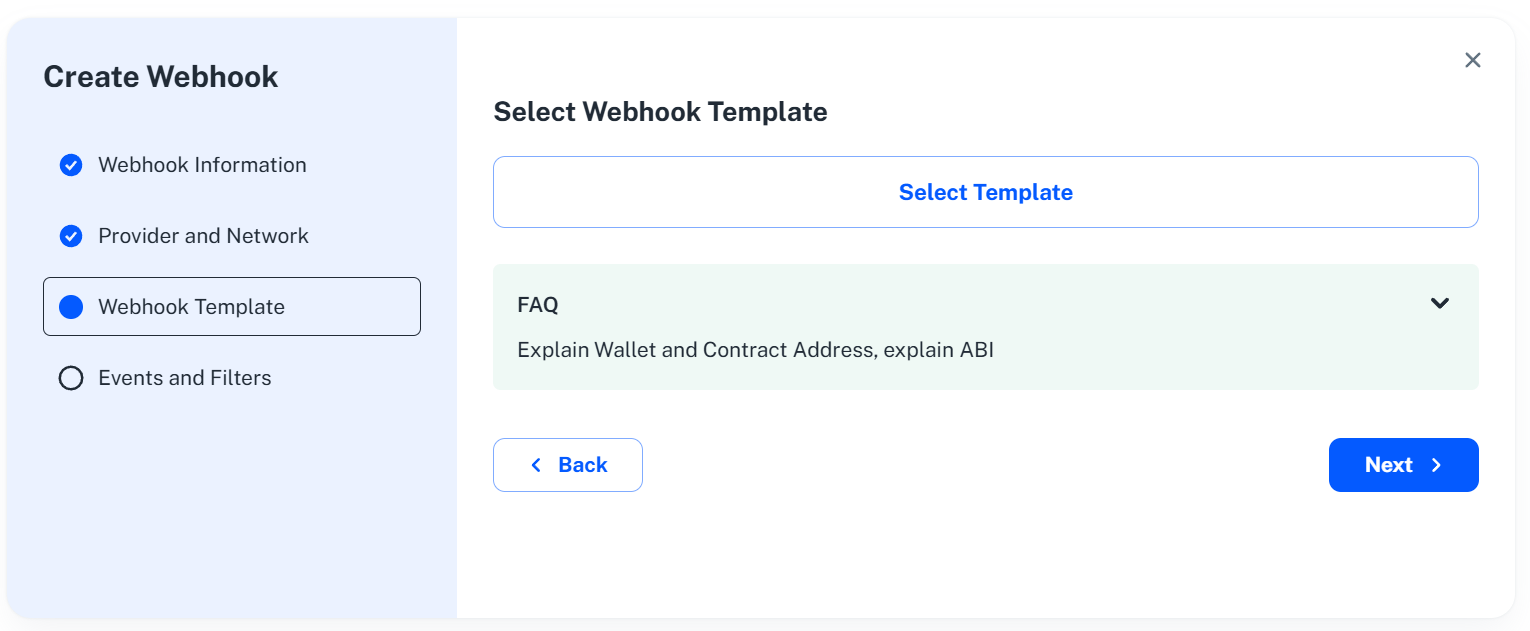
- Custom Webhook. It has great flexibility. You will need to fill out the whole set of required fields.
- Webhook Templates, They are pre-defined templates to help quickly fill the webhook information, such as contract address of a popular token and ABI.
-
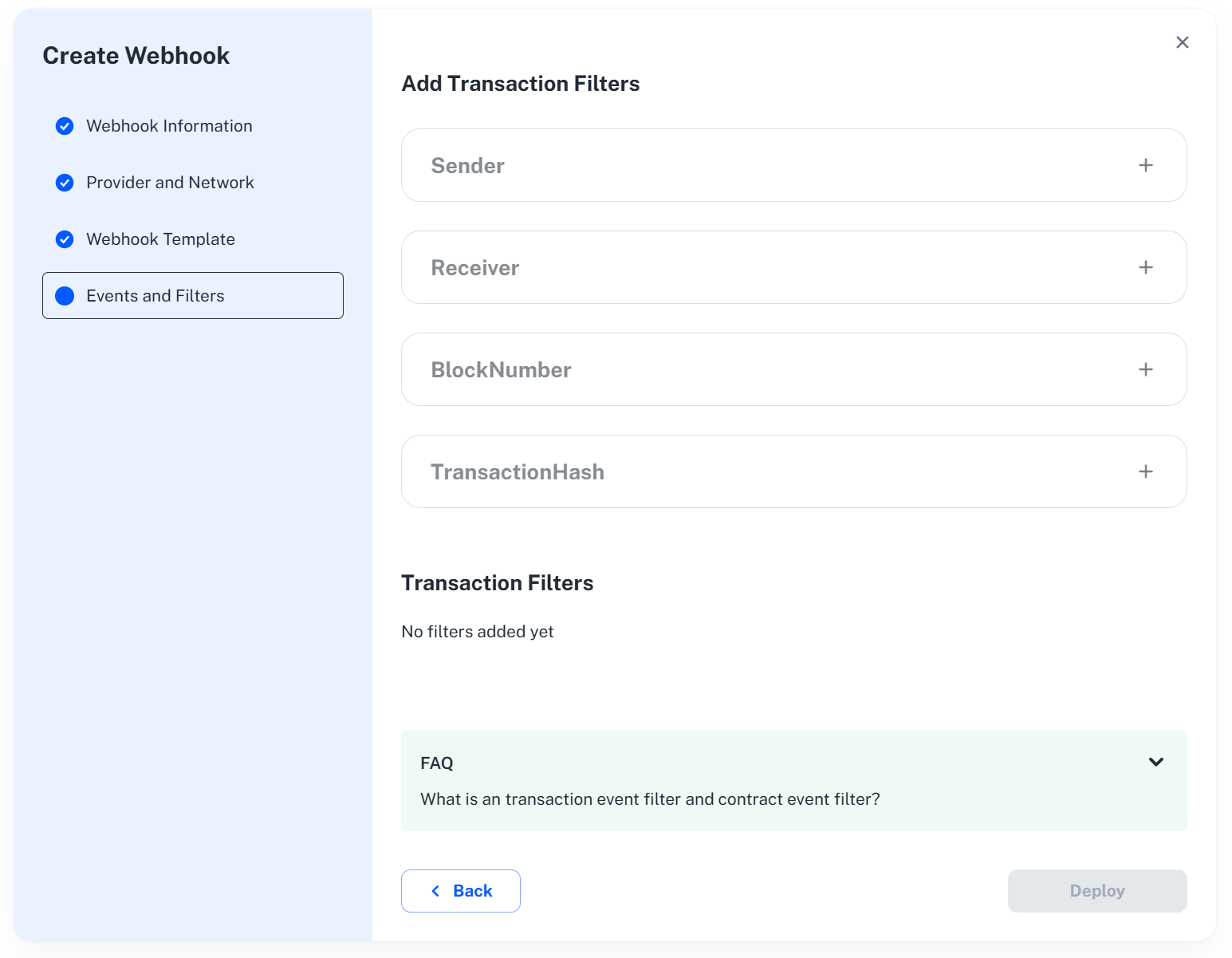
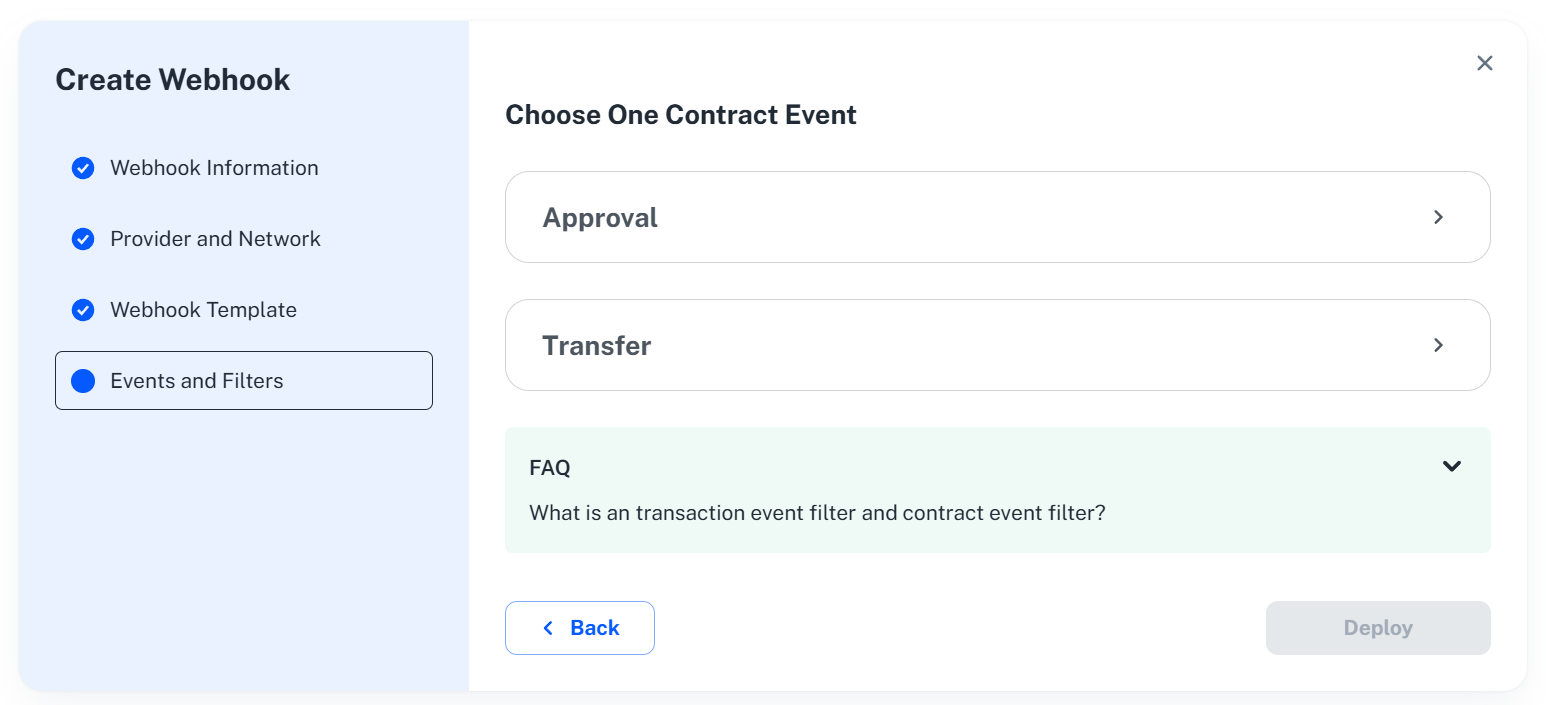
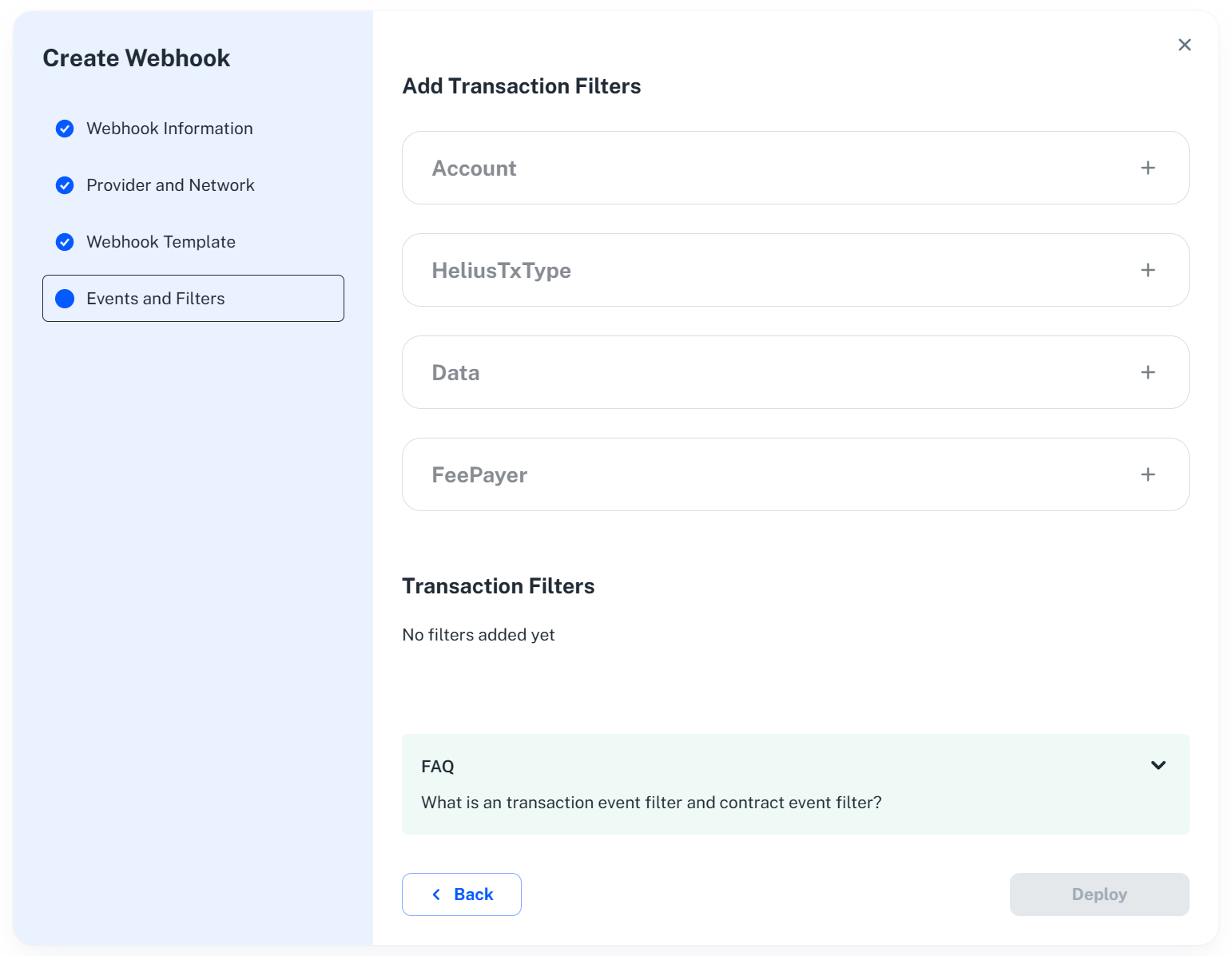
Add events and filters. This step further defines what kind of specific blockchain state changes that you would like to listen.
-
For address activity webhook, you can setup transaction filters.
-
For contract event webhook, you can setup event filters. Selecting an event is required, but adding event filter is optional.
-
For solana address activity webhook, you can setup solana transaction filters.
-
-
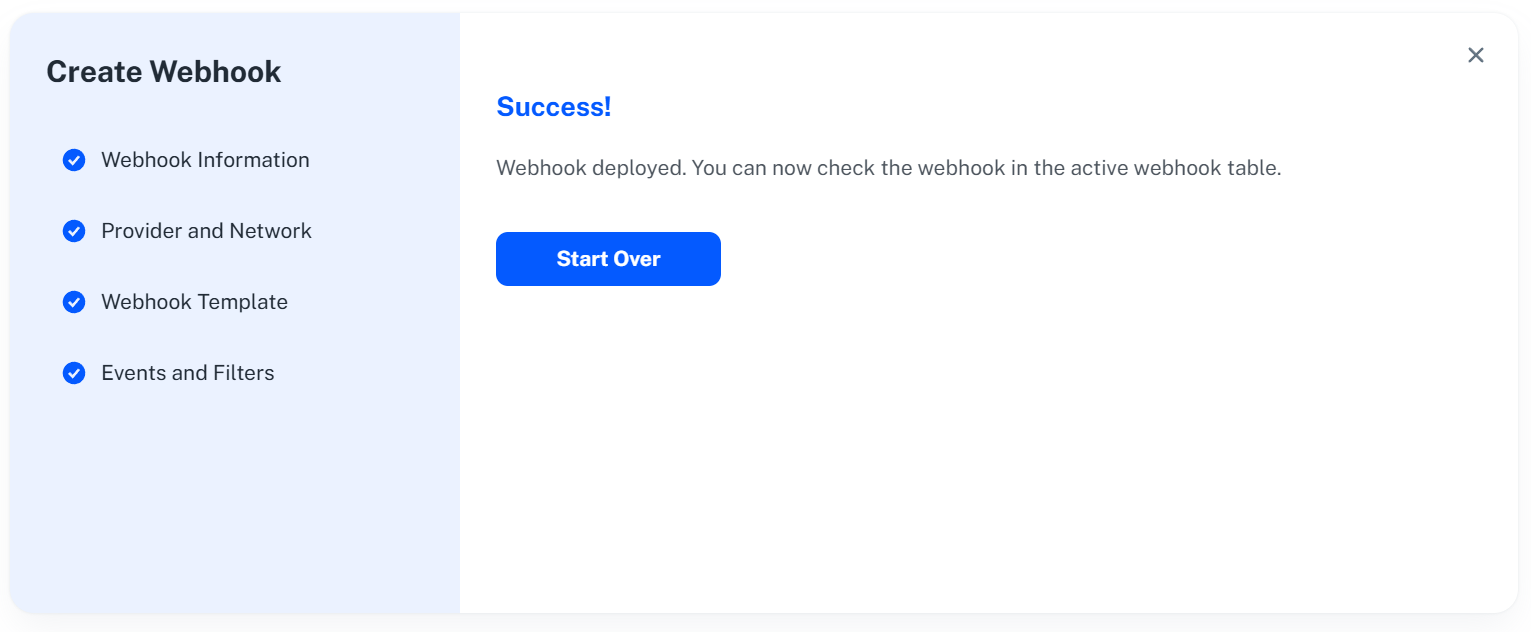
Deploy webhook. Once the webhook is deployed, you will be able to view the new webhook in the active webhook list.
Webhook Configuration Fields
| Field | Description | Example |
|---|---|---|
| Event Name | A descriptive name to identify the webhook's purpose. | "ERC20 Transfer Notification for My Wallet" |
| Event Description | Brief explanation of the trigger and data included. | "This webhook sends notifications for ERC20 token transfers associated with MyWallet." |
| Webhook URL | Publicly accessible URL for receiving notifications (must handle POST requests). | https://461a-199-116-73-171.ngrok.io (Test URL or your Prod URL) |
| Select Provider | Blockchain platform for notifications (e.g., Moralis, Tatum). | Choose your desired platform. |
| Network | Blockchain Network for notifications (e.g., Ethereum, Polygon). | Choose your desired Network. |
| More Fields | More fields required based on selected webhook type. For more information refer to Event Trigger Types. | Addresses, Contract Address, ABI, Transaction Filters, Event Filters |
Additional Notes:
- Ensure your Webhook URL remains publicly accessible and can handle the expected data format and volume.
- Consider implementing security measures to validate incoming webhook requests and protect your data.
Webhook Testing Environments
Here are some webhook testing environments where you can get a webhook URL for a quick setup to post webhook events:
Supported Chains
List of all blockchain chains currently supported for webhooks across our providers:
- Ethereum Mainnet
- Ethereum Sepolia
- Arbitrium Mainnet
- Arbitrium Sepolia
- Optimism Mainnet
- Optimism Sepolia
- Polygon Mainnet
- Polygon Mumbai
- Polygon Amoy
- Zksync Mainnet
- Zksync Sepolia
- Base
- Base Sepolia
- Avalanche C-Chain
- BNB Smart Chain Mainnet
- BNB Smart Chain Testnet
- Fantom Opera
- Fantom Testnet
- Gnosis
- Gnosis Chiado Testnet
- Solana
Endpoints
| Endpoint | Description |
|---|---|
/webhook/contract-event | Create a webhook that triggers on specific contract events. |
/webhook/{id} | Modify an existing webhook. |
/webhook/address-activity | Establish a webhook for tracking activities related to specified addresses. |
/webhook/solana-address-activity | Set up a webhook specific to address activities on the Solana blockchain. |